
Mac Use Mcp
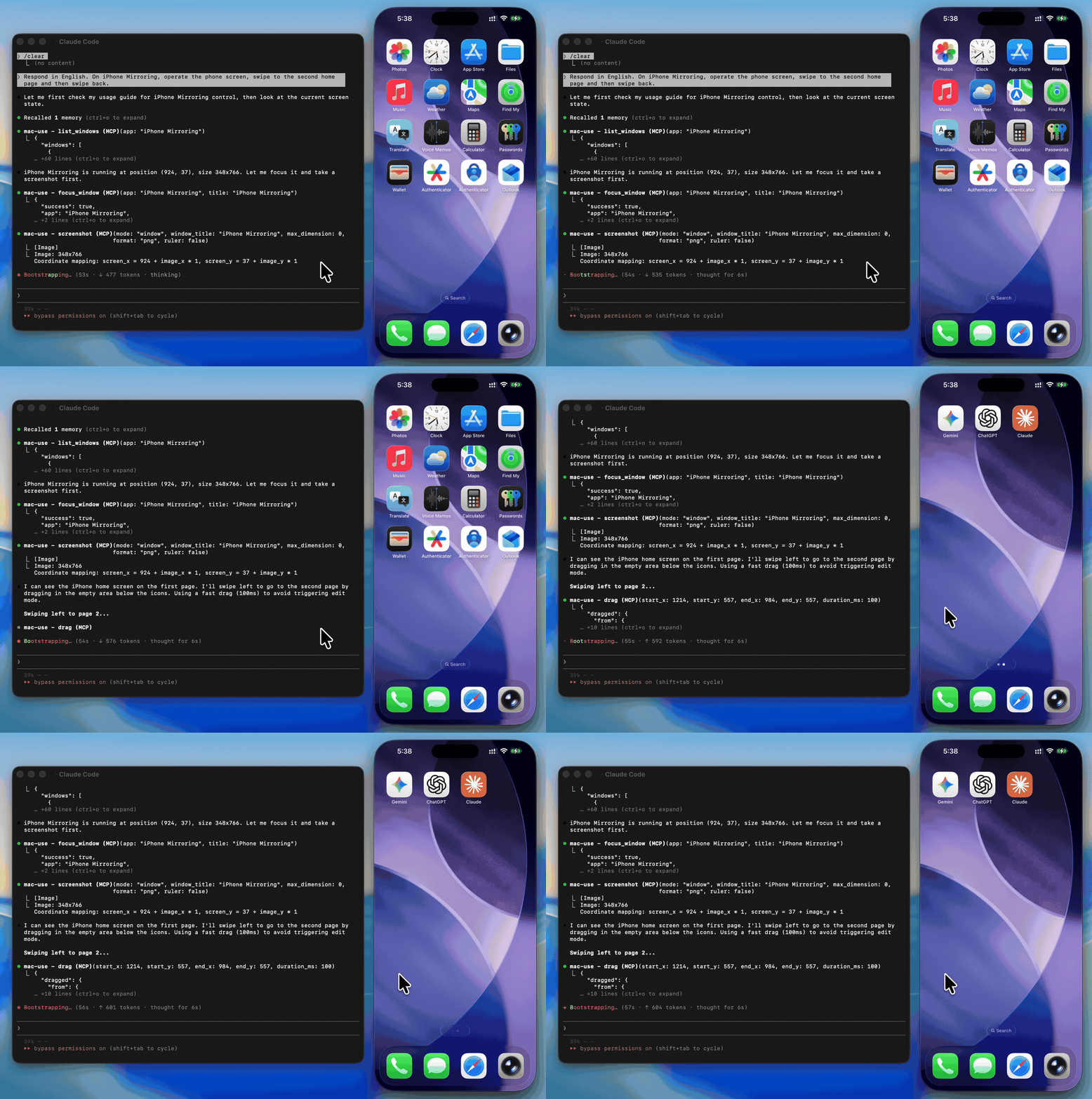
Gives AI agents full desktop control on macOS through 18 tools: screenshot capture, mouse clicks and drags, keyboard input with Unicode support, window management, and accessibility tree inspection. Zero native dependencies, runs via npx with no build step. Requires macOS Accessibility and Screen Recording permissions. Useful for automating UI tests, scraping visual data from desktop apps, or building agents that need to interact with any macOS application through vision and input rather than APIs. The screenshot→action loop can rack up tokens quickly, so pick a fast model with solid vision capabilities. Works on macOS 13+ on both Intel and Apple Silicon.
- GitHub stars
- 5
- tools
- 18
- transport
- STDIO
- last updated
- Mar 2, 2026
Tools
18 toolsPublic tool metadata for what this MCP can expose to an agent.
screenshotCapture the screen, a region, or a window by title (PNG or JPEG)
Capture the screen, a region, or a window by title (PNG or JPEG)
No parameter schema in public metadata yet.
get_screen_infoGet display count, resolution, origin, and scale factor for each display
Get display count, resolution, origin, and scale factor for each display
No parameter schema in public metadata yet.
get_cursor_positionGet current cursor coordinates
Get current cursor coordinates
No parameter schema in public metadata yet.
clickClick at screen coordinates with button, click count, and modifier options
Click at screen coordinates with button, click count, and modifier options
No parameter schema in public metadata yet.
move_mouseMove the cursor to a position
Move the cursor to a position
No parameter schema in public metadata yet.
scrollScroll up, down, left, or right at a position
Scroll up, down, left, or right at a position
No parameter schema in public metadata yet.
dragDrag from one point to another over a configurable duration
Drag from one point to another over a configurable duration
No parameter schema in public metadata yet.
type_textType text at the cursor position (supports Unicode, CJK, and emoji)
Type text at the cursor position (supports Unicode, CJK, and emoji)
No parameter schema in public metadata yet.
press_keyPress a key or key combination (e.g., "cmd+c", "Return")
Press a key or key combination (e.g., "cmd+c", "Return")
No parameter schema in public metadata yet.
list_windowsList all visible windows with positions and sizes
List all visible windows with positions and sizes
No parameter schema in public metadata yet.
focus_windowActivate an app and bring a specific window to the front
Activate an app and bring a specific window to the front
No parameter schema in public metadata yet.
open_applicationLaunch an application by name
Launch an application by name
No parameter schema in public metadata yet.
click_menuClick a menu bar item by path (e.g., "File > Save As...")
Click a menu bar item by path (e.g., "File > Save As...")
No parameter schema in public metadata yet.
get_ui_elementsQuery UI elements via Accessibility API — find buttons, text fields, and other controls by role or title
Query UI elements via Accessibility API — find buttons, text fields, and other controls by role or title
No parameter schema in public metadata yet.
clipboard_readRead the current system clipboard as plain text
Read the current system clipboard as plain text
No parameter schema in public metadata yet.
clipboard_writeWrite text to the system clipboard
Write text to the system clipboard
No parameter schema in public metadata yet.
waitPause for a specified duration (in milliseconds, 0–10 000, default 500)
Pause for a specified duration (in milliseconds, 0–10 000, default 500)
No parameter schema in public metadata yet.
check_permissionsVerify Accessibility and Screen Recording access
Verify Accessibility and Screen Recording access
No parameter schema in public metadata yet.
Sponsors
 Agent CaffeineSponsoredClose your lid, come back to finished work
 SnugSponsoredThe clipboard manager for the AI eraPromote your product hereReach 125k+ visitors monthly
 WaxSponsoredBlock anything with supervision, without erasing your iPhonePromote your product hereReach 125k+ visitors monthly
 knobsSponsoredSee your site on any phone, any day, in any language
Readme
mac-use-mcp
[!WARNING] This tool has full control over mouse, keyboard, and screen. Please use in a sandboxed environment to protect your privacy and avoid accidental data loss by your agents. You are responsible for any actions performed through this tool.
Zero-native-dependency macOS desktop automation via MCP.
Give AI agents eyes and hands on macOS — click, type, screenshot, and inspect any application.
Details
- Repository
- github.com/antbotlab/mac-use-mcp
- Category
- Automation & Workflows
- Package
mac-use-mcp- Transport
- STDIO
- Registry
- MCP registry, active
Related Automation & Workflows MCP servers
View all Flowzapflowzap-xyz/flowzap-mcpCreate workflow, sequence, architecture, and mind map diagrams via AI assistants.5stars
 Action1wyre-technology/action1-mcpAction1 MCP server — endpoint inventory, patch visibility, and policy automation via REST API.4stars
 FlowGlyphafernandeztem/flowglyphUiPath, SAP, BPMN, n8n and OpenAPI automations as governed MCP tools: policy, one run per key, audit3stars
 Scoutfelixgeelhaar/scoutBrowser automation MCP server with 84 tools. Pure CDP, DOM diffing, vision hybrid.3stars

 Launch Engine — Business Execution OSzionhopkins/launch-engine-mcpAgentic pipeline — 39 tools from idea to revenue for solo founders.3stars